Your provider. Your subscription. Your player.
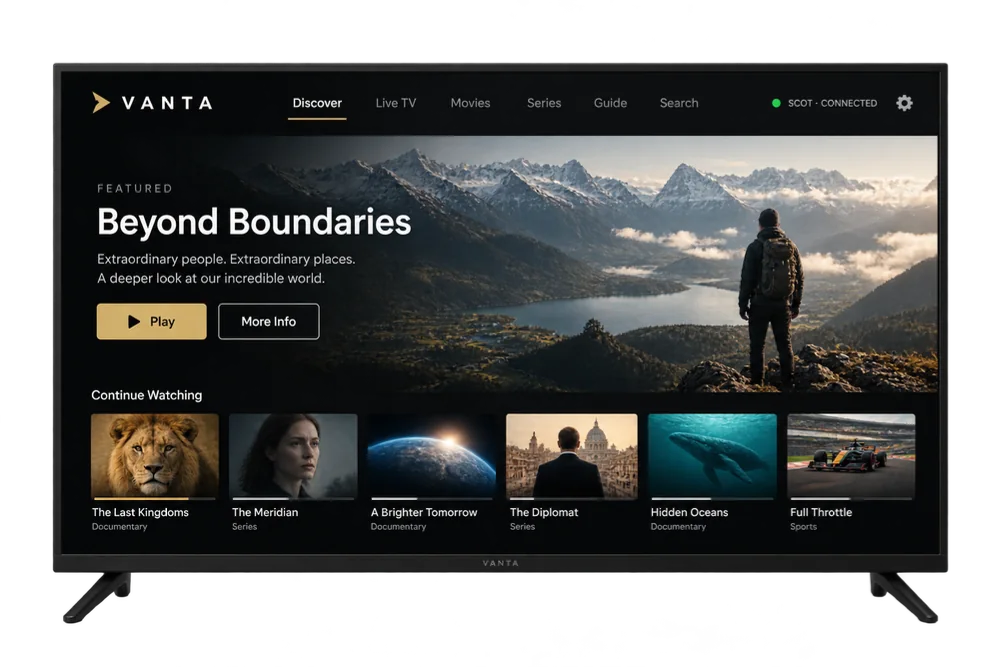
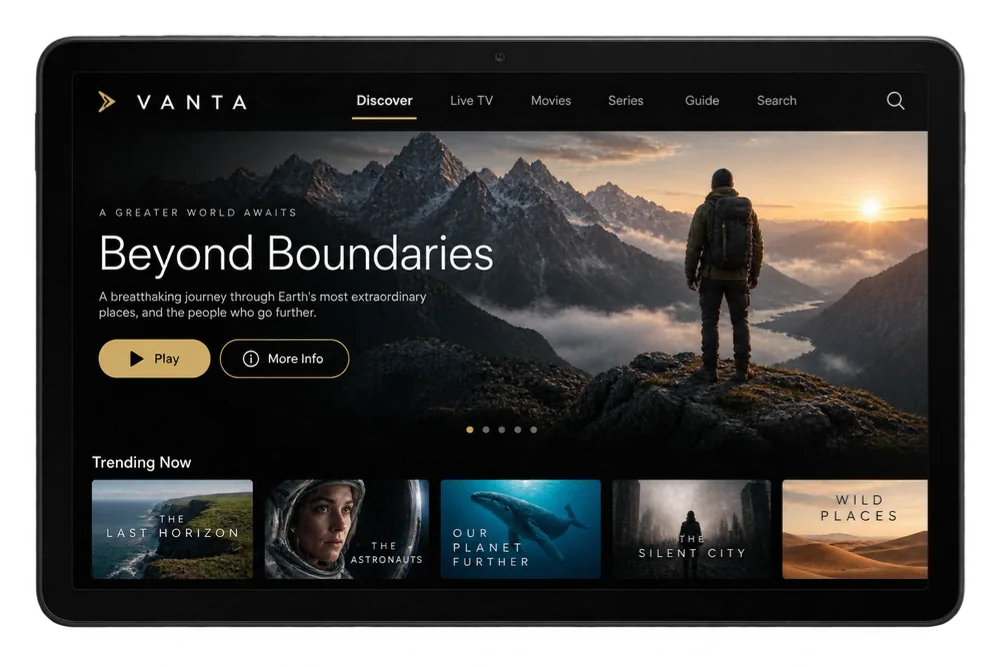
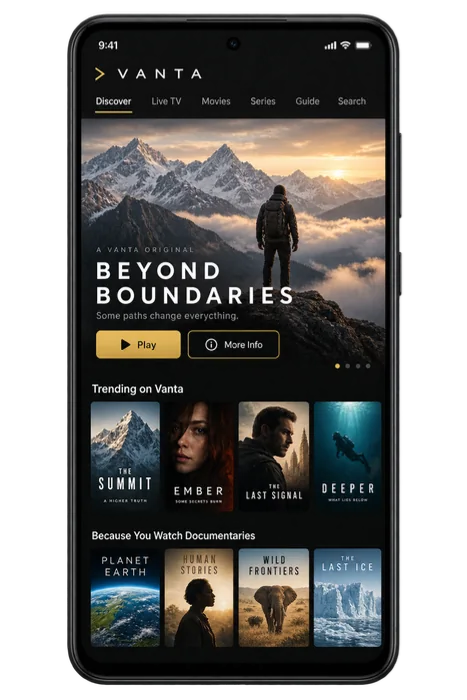
Illustrative screen content. No content included.
Point Vanta at the service you already pay for—on your Android TV, Fire TV, or Android phone or tablet. It doesn’t sell you channels. It plays yours properly.
Works with Xtream Codes, M3U and Stalker.
Vanta is a media player. No channels, films, series or content subscriptions are included. Use only content you own or are authorised to access.
One product
Your Vanta. On every screen.
One Discover screen — the same featured title and the same channel wall — laid out for the screen in front of you.
- Television
- Ten feet away, driven by the remote: Beyond Boundaries, then Top Channels below it.
- Android tablet and foldable
- The same Discover screen at arm's length, the Android foldable widening it across both halves.
- Android phone
- The same title and the same channels, in one hand.
These pictures show one product on three screens. Each device keeps its own source details, and Vanta does not synchronise favourites or playback between them.
Product pictures on this page are supplied product references. Vanta supplies no channels, listings or artwork — the title, channel names and programme in them are fictional sample content.
Made to be driven with a remote.
Arrows to move, select to open, back to leave — and the highlight stays where you left it.
On a television, all of it with the remote.
Change channel without leaving the picture. Open the guide to see what is on now and what follows next. Add or refresh a source from the sofa, in a form short enough to type with arrow keys.
What it plays
Live TV, films and series from your provider.
Vanta signs in to your provider with the details you give it and plays what your subscription includes. It has no channels of its own.
Why the provider, the subscription and the player stay separate
- Live TV
- The channels your subscription includes, with a guide built from your provider's own listings.
- Films and series
- The catalogue, browsed the same way as live television.
- Sources
- Xtream Codes, M3U and Stalker — added, edited and refreshed on the device you watch with.
It connects to your provider's Xtream Codes, M3U or Stalker service and plays what that subscription includes. Vanta sells no channels and supplies no content. Vanta for Android TV, Fire TV, Android phones and tablets. See devices
Picture and sound.
Picture and sound depend on the source, the television and the connected audio route. Playback Information shows the active result.
Setting up
A portal address is a lot to type with a remote.
Address, username, password: three long strings on an on-screen keyboard. Vanta asks for them once, masks them as you type, and remembers the source after you save it.
- Typed once, on your device
- Enter them with the remote on the television, or with the keyboard on your Android phone. They stay on that device.
The Vanta app stores your provider details on your device and uses them to connect to your provider. How Vanta handles provider details
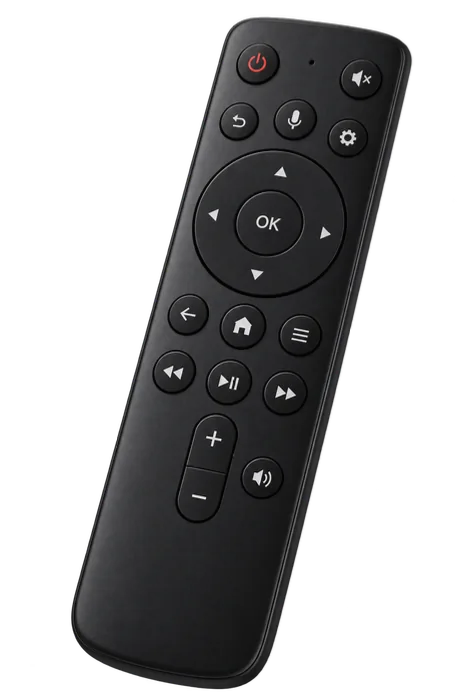
Illustrative screen content. No content included.
See Vanta on your television and your Android phone.
Vanta is a media player. No channels, films, series or content subscriptions are included. Use only content you own or are authorised to access.
Vanta supplies no television channels or provider subscription.