Security
How Vanta handles your provider details.
You enter them once on the device you are watching with. Vanta uses them there to connect to your provider.
The Vanta app stores your provider details on your device and uses them to connect to your provider.
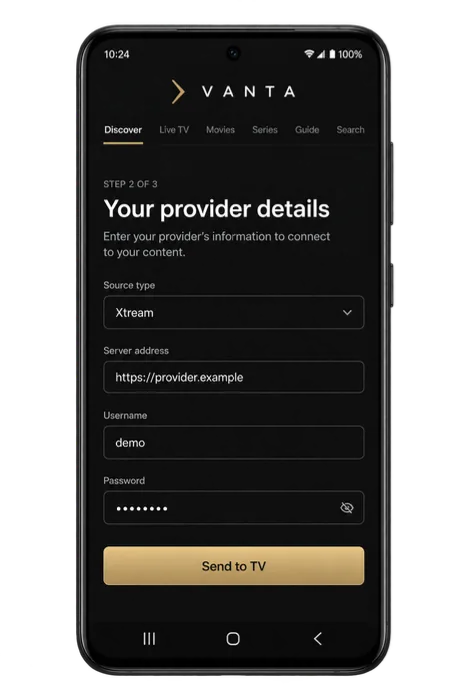
01 · On your device
What the player must do
The details you type into Vanta are masked in the form as you enter them.
Saved provider details are stored on that device.
Vanta uses them to connect that device to your provider, and for nothing else.
A Vanta account is not required to use the player.
Where the boundaries sit
- The player runs without an account
- Install it on Android TV, Fire TV or an Android phone or tablet and add your source. There is no Vanta sign-in in the way.
- Your provider owns the catalogue
- Vanta plays what your subscription includes and sells nothing that appears on screen.
- A forgotten password is your provider’s to reset
- For help resetting your provider password, contact your provider.
What Vanta does not claim
Vanta does not claim that your provider is secure, that your connection to your provider is private, or that your device is protected from anyone who can already use it.
Vanta sells no channels and supplies no content, so there is no Vanta content account to protect.
02 · Questions
Questions
- Where are my provider details kept?
- They are stored on the device you typed them into, and used from there to connect to your provider.
- Does the player need a Vanta account?
- No — on Android TV, Fire TV, Android phones and tablets alike.
- Can Vanta support recover my provider password?
- For help resetting your provider password, contact your provider.
Why Vanta is built this way
Vanta is the player. Your provider supplies the content.
Vanta supplies no channels and no provider subscription.